📊
Visual 2D Deployment Matrix
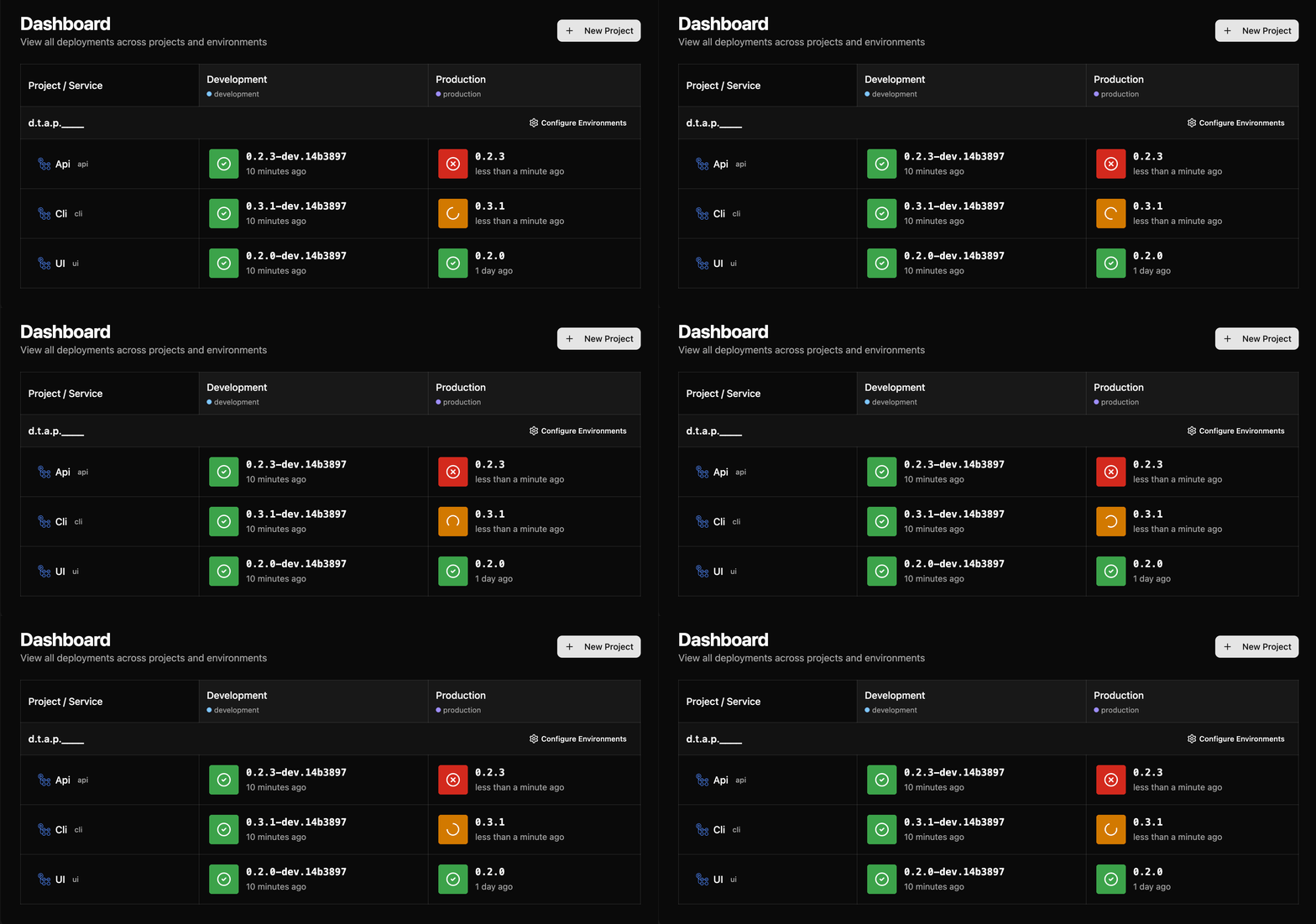
Octopus Deploy-inspired dashboard shows Services × Environments in a clean grid. See deployment status, versions, and timestamps at a glance.

Track what's deployed where and when with a beautiful matrix overview. Integrate with any CI/CD in one line of code.
Install @dtapline/cli and add one command to your deployment script.
Every deployment automatically reports to Dtapline with version, status, and metadata.
See real-time deployment status across all services and environments in a beautiful 2D matrix.
Integrate Dtapline with any CI/CD platform in seconds:
- name: Report Deployment to Dtapline
  env:
    DTAPLINE_API_KEY: ${{ secrets.DTAPLINE_API_KEY }}
  run: |
    npm install -g @dtapline/cli
    dtapline deploy production my-service ${{ github.sha }} \
      --deployed-version ${{ github.ref_name }} \
      --pr-url ${{ github.event.pull_request.html_url }} \
      --deployed-by "GitHub Actions" \
--status successreport_deployment:
stage: deploy
script:
- npm install -g @dtapline/cli
- |
dtapline deploy production my-service $CI_COMMIT_SHA \
--api-key $DTAPLINE_API_KEY \
--deployed-version $CI_COMMIT_TAG \
--deployed-by "GitLab CI" \
--status success- script: |
npm install -g @dtapline/cli
dtapline deploy \
$(ENVIRONMENT) \
$(SERVICE_NAME) \
$(Build.SourceVersion) \
--api-key $(DTAPLINE_API_KEY) \
--deployed-version $(Build.BuildNumber) \
--deployed-by "Azure DevOps" \
--status success
displayName: 'Report Deployment'stage('Report Deployment') {
steps {
sh '''
npm install -g @dtapline/cli
dtapline deploy production my-service ${GIT_COMMIT} \
--api-key ${DTAPLINE_API_KEY} \
--deployed-version ${BUILD_NUMBER} \
--build-url ${BUILD_URL} \
--deployed-by "Jenkins"
'''
}
}deployments:write, deployments:read, admin permissionsForever
Advanced features
Get notified when Pro launches:
Inspired by Octopus Deploy's industry-leading deployment dashboard. Large, colorful status indicators make deployment state obvious at a glance.
Purpose-built for open source teams. Free tier with generous limits, perfect for public repositories and community-driven projects.
Built with Effect-TS for functional programming benefits: type-safe error handling, composable effects, and built-in retry/recovery patterns.
No manual configuration required. Just report deployments from your CI/CD, and Dtapline auto-creates services and environments as needed.
Works with GitHub, GitLab, Bitbucket, and Azure DevOps. Automatic diff URL generation for comparing code changes between environments.
Deploy to AWS Lambda (serverless), or traditional servers. Complete Terraform infrastructure included.
Free for open source projects, with generous limits.
Try the Live Demo →